How To Set Your Reimbursement Details
On this page, you will find out how you can update your Reimbursement details. After a few minutes, you will have your details set which means you will be paid back for every pint you give away on this promotion and future promotions you take part in.
Step One - Log Into FANZO
You can log in to FANZO by clicking here. If you have forgotten your password, please click 'Forgot Password'.
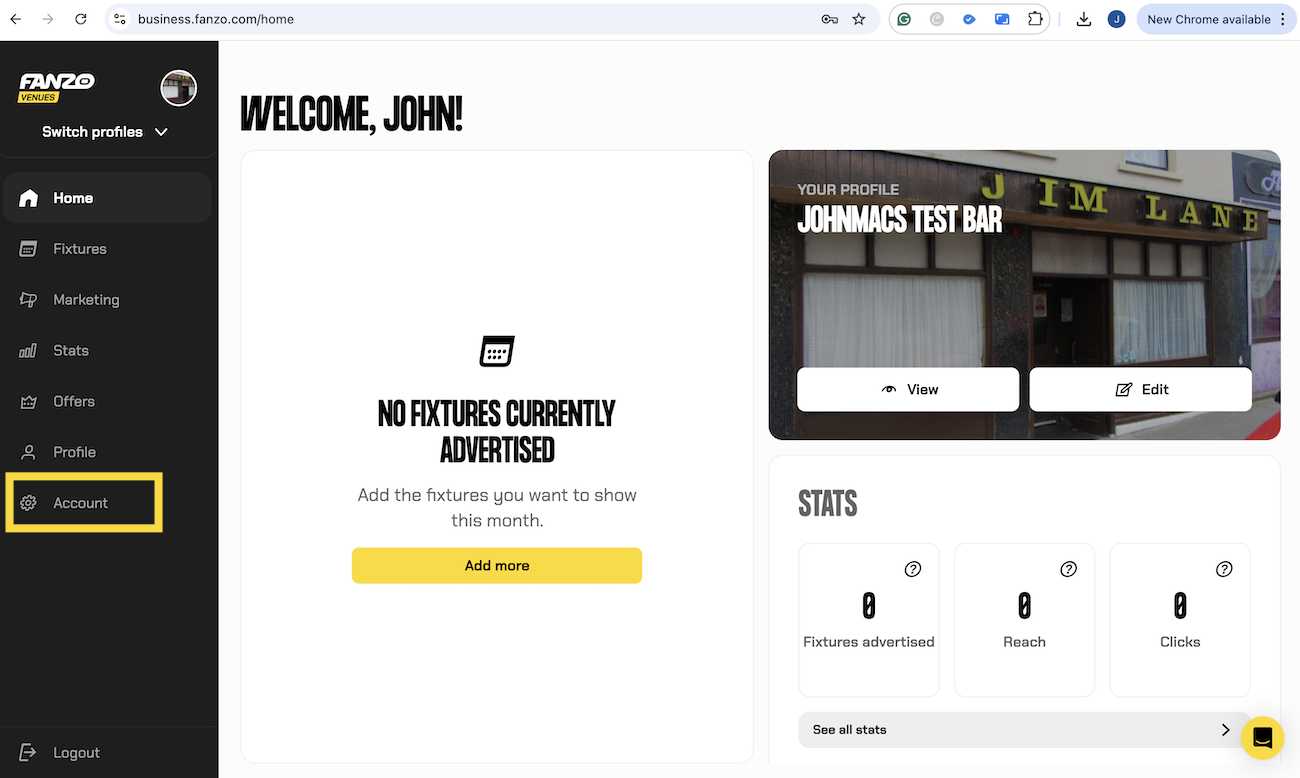
Step Two - Click 'Account'
Once you have logged in, please click 'Account' on the left-hand side menu.
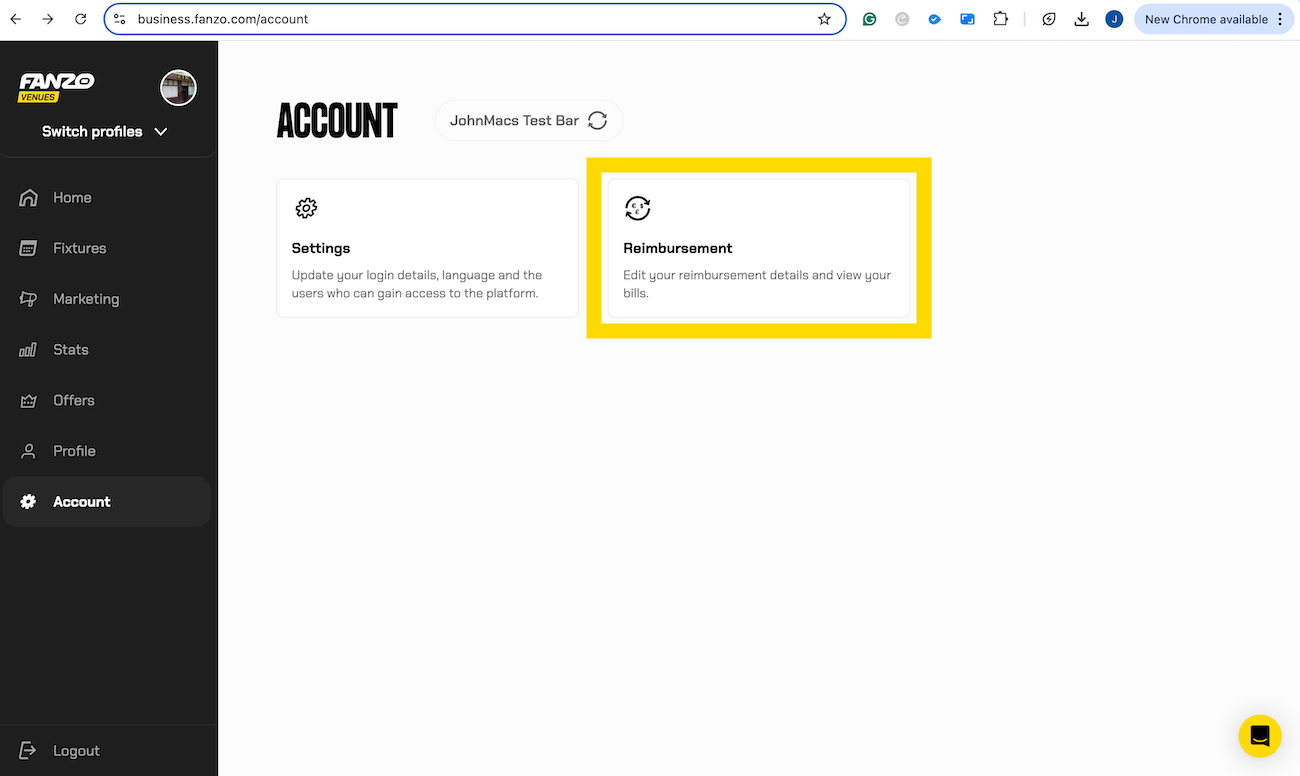
Step Three - Click 'Reimbursement'
Now that you're in the account section, please click 'Reimbursement'.
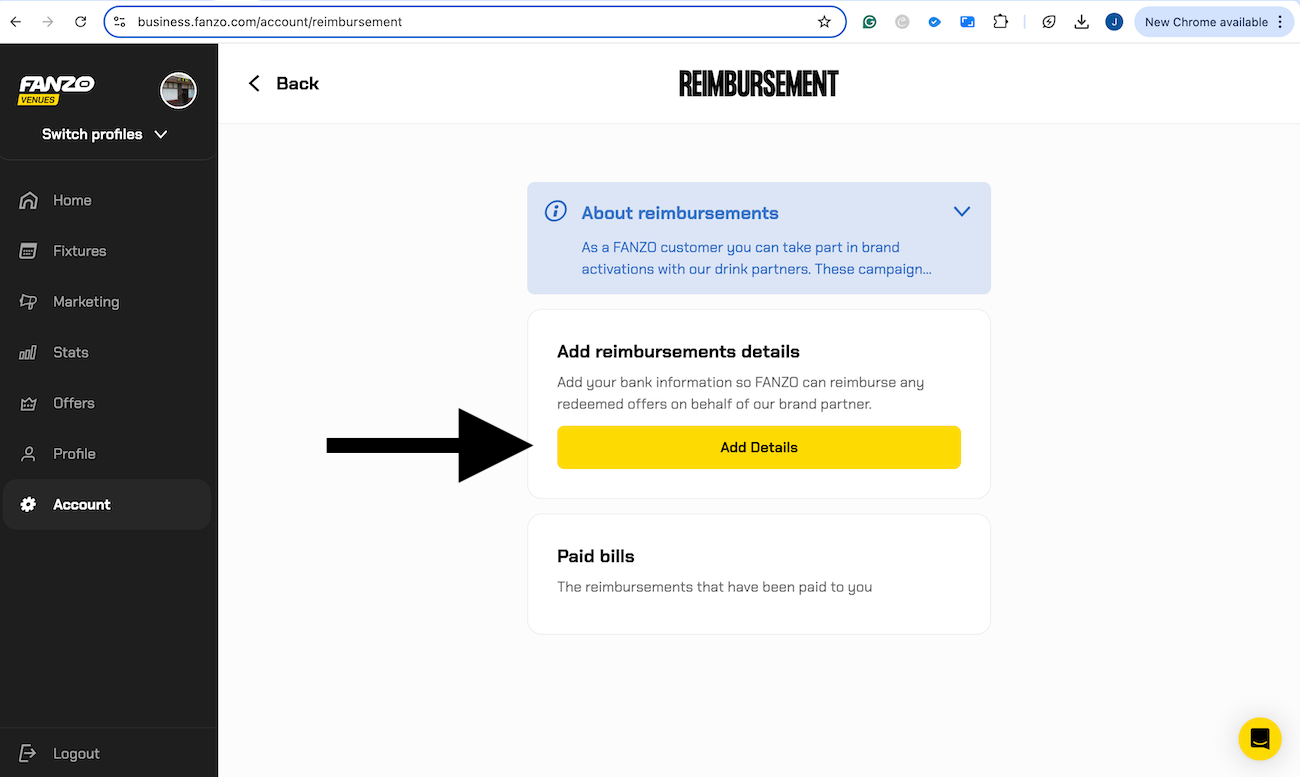
Step Four - Click 'Add Details'
Click 'Add Details' and input your account details. The account you add will be the account you get paid into.
If you require any extra assistance, please send an email to [email protected].